
VST Host for Keyboardists – Easily Organize Your Live Setups
Studio Sound. Live on Stage.
SoundManager is the VST host for keyboardists who perform live. Your sounds are always readily available—organized by bands, setlists, songs, and song parts.
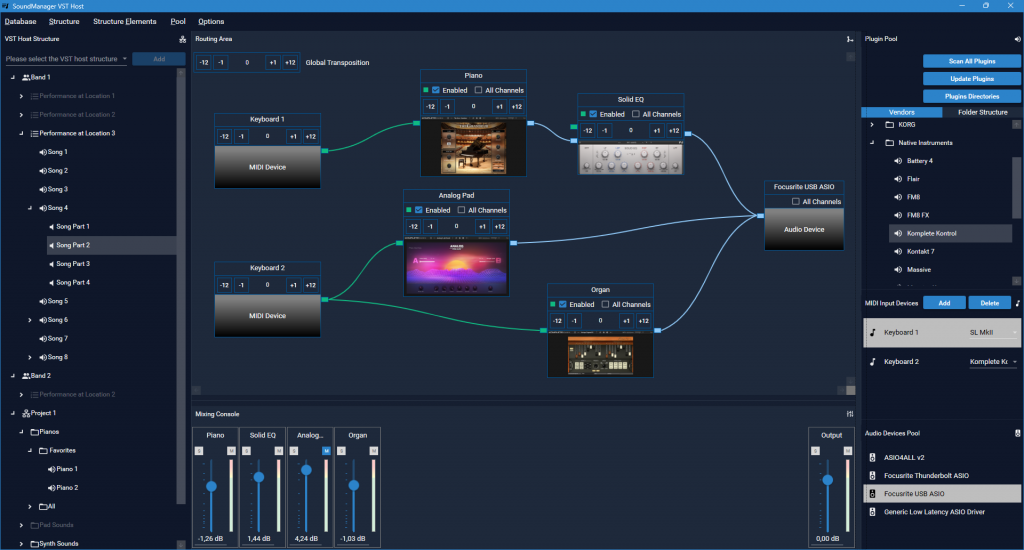
SoundManager – The Plugin Host for Your Live Performance
You play the keyboard—live on stage, in one band or several. You don't want to reconfigure your VST plugins every time; you just want to start playing. SoundManager is designed exactly for that.
In addition, SoundManager can also be used as a sound library—with a flexible structure of categories and subcategories for your sounds.
What Makes SoundManager Special
Everything Is Saved Automatically
SoundManager instantly and automatically saves every step you take in a structured database. No save button, no data loss. Whatever you set up stays that way—reliably and consistently.
Your Plugins at a Glance
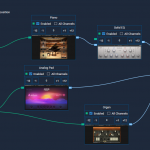
In the routing section, SoundManager displays your VST plugins as visual previews—automatically generated so you can instantly recognize each plugin at a glance. You know exactly where everything is without having to search for it.
Copy & Paste Workflow
Setlists and songs are easy to copy—just like in Word or other programs. No training required, no learning curve. Get started right away.
Always in the Right Key
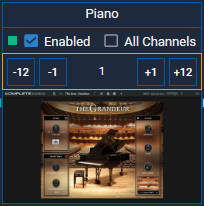
The transpose function shifts individual sounds or entire songs to a different key. The setting is saved per song — when you switch songs, the correct key is automatically active. However, if you forget to select the next song, the previous transposition remains in effect. That's why an orange border highlights any transposed sound or song directly on the interface. Instantly visible, before the first note sounds.

Choose Your Price
SoundManager is designed to be accessible to everyone—regardless of financial circumstances. That’s why we offer three pricing options. You can choose the one that’s right for you.
Try It Free for 30 Days
Download SoundManager and take your time to try it out — 30 days, full functionality. No risk, no payment details required. Try it at home, in the rehearsal room, at your next gig.
SoundManager has been tried and tested and has proven itself in live performances. If it works for you, choose your price — pay once, no recurring costs, no subscription.
Requirements
SoundManager runs on 64-bit Windows and loads only VST3 plugins—the modern format supported by most current plugins. No internet connection required, no cloud, and no background registration.