
Setlists, Songs, and Song Parts — Your Sounds for the Stage
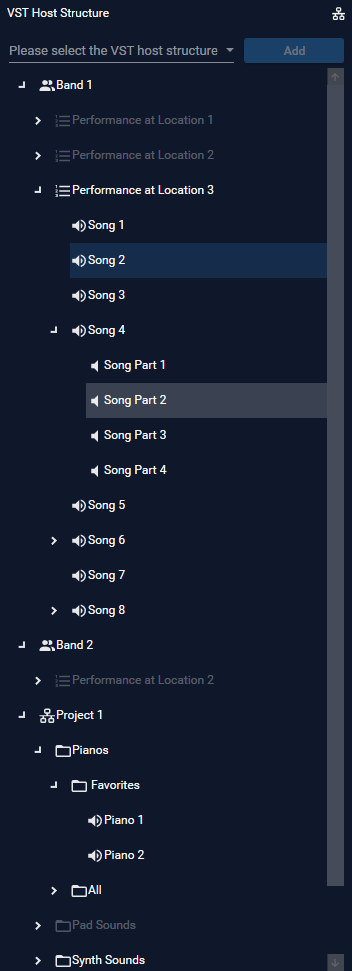
Organize your VST plugins with setlists for live performances—so you can access your sounds instantly on stage.
In the left section of SoundManager, you will find a selection field and a tree structure where you create and manage all elements for your sounds. You then define the signal flow for each song in the routing area.
Structure for Live Performances
Use the dropdown menu to select the structure for live performances. Here, you can organize your sounds into a clear hierarchy: Bands → Setlists → Songs → Song Parts. Each song part has its own routing with your VST plugins—so you have the right sound ready for every section of the song.
Free Structure as a Sound Library
Alternatively, you can choose the free structure. Here you create categories and arbitrarily nested subcategories — ideal as a sound library or sound pool. Within each category, you can also create songs and song parts.
A practical workflow: Build a pool of finished sounds within the free structure. When you need a new setlist, simply copy the appropriate songs into your live structure using copy & paste.
Copy & Paste
Elements can be copied or cut together with their entire routing — either via right‑click in the context menu or through the main menu under Structure Elements. Then select the desired target element and paste. This allows you to duplicate or move entire setups in just a few steps.